
A director, not a generator.
You tell us what it’s about. We direct.
Brightshow asks, researches with sources, plans the storyboard, checks every image and every clip, and only shows you what’s right.
- Rehearse first, then shoot.
- Your first video is free.
 AI image
- Briefinggoal, audience, material settled
- Script6 scenes, every claim sourced
- Scene 3 · still3 variants rejected, 1 approved
- Scene 3 · clipchecked against storyboard and style
- Editwaiting for your sign-off
How Brightshow directs
Five steps. You decide before it gets expensive.
A generator does what the prompt says. A director asks first, rehearses, checks, and only then shoots.
-
Briefing
What is it about, who is it for, what material do you have? Brightshow asks before it plans. You bring photos, documents and expertise.
-
Script with sources
Brightshow researches and shows its sources. Every claim in the script can be traced back. You read it and approve it.
Your sign-off -
Rehearsal on stills
Every scene starts as a still. You see framing and style before a single clip is shot.
Your sign-off -
Every clip checked
Brightshow checks each clip against storyboard and style, rejects what doesn’t fit, improves the prompt and shoots again.
-
Final sign-off
You watch the finished edit with sound and subtitles. The video is done when you say so.
Your sign-off
Behind the scenes
The director’s log shows what was rejected, and why.
Every attempt is recorded. Approved images light up, rejected ones stay dimmed, with a reason.
How does a heat pump work?
Explainer · 60 s · paper collage style
Scene 3 of 6 “The refrigerant absorbs heat from the outside air.”
Stills: AI-generated. Arrows: drawn in code.
Variant D · Matches script, style and framing. Becomes the start frame for the clip. Shooting begins once you approve the stills.
Variant A · Text in the image. The image model drew its own labels. At Brightshow, text and numbers are added as overlays in the edit, never by the image model.Variant B · Style break. Photorealistic instead of paper collage. Doesn’t match scenes 1 and 2.Variant C · Flow reversed. The arrows point outwards. The script says heat flows from outside into the house.Variant D · Matches script, style and framing. Becomes the start frame for the clip. Shooting begins once you approve the stills.3 variants rejected: text in the image, style break, flow reversed.
The difference
Generator or director
| A generator … | Brightshow … |
|---|---|
| does what the prompt says | first asks about goal, audience and material |
| writes from the prompt | researches with sources and shows them |
| uses one model for everything | picks, per scene, the model that has proven to hold this style |
| leaves the reviewing to you | checks every still and every clip and repairs the prompt |
| starts from scratch every time | remembers your verdicts and learns rules per model |
| burns credits | keeps a fixed budget per video and stops before going over |
| makes up people | shows real people only from your real footage |
Directing styles
A style is described by craft, not by name.
Each style has fixed rules for light, material and motion. That is how every scene of a video fits together.
-
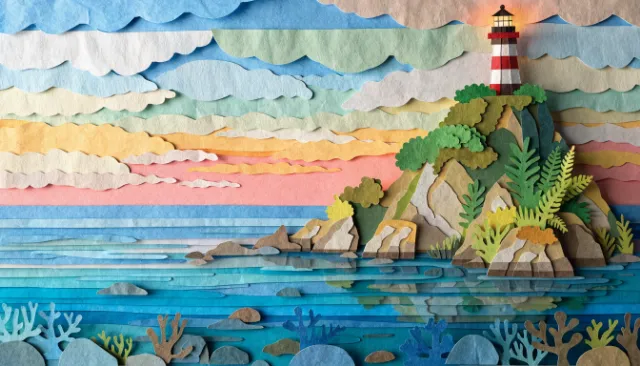 AI-animated
Paper collage
Layered paper, visible fibres, soft drop shadows.
-
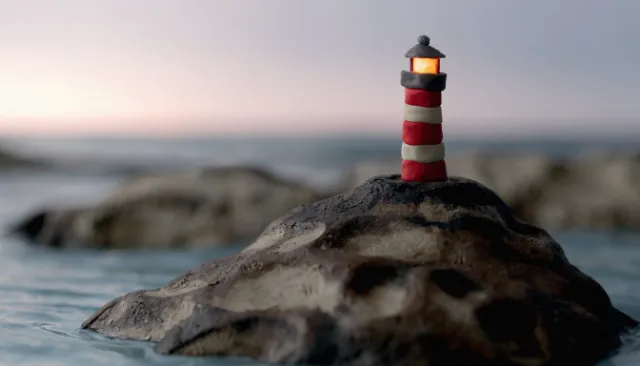 AI-animated
Clay figures
Stop-motion in plasticine, fingerprints, miniature sets.
-
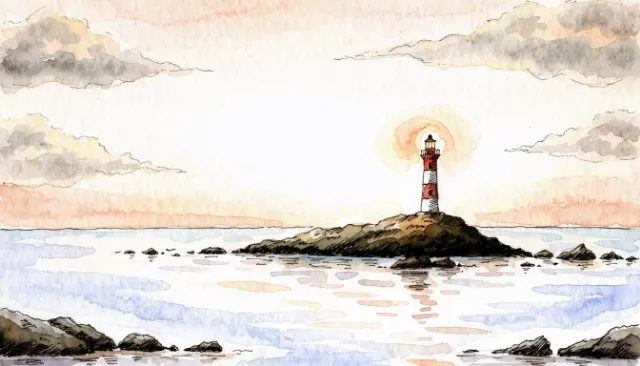 AI-animated
Watercolour
Translucent washes, paper grain, calm composition.
-
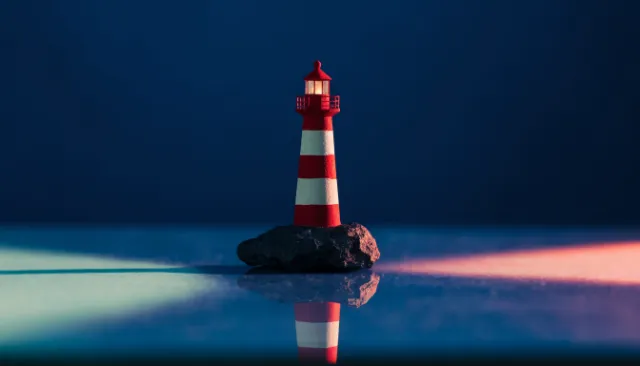 AI-animated
Cinema studio
Studio macro, deep blue, warm raking light.
-
made in code
Whiteboard
Processes and connections, stroke by stroke.
-
made in code
Isometric
A process as stations on one surface.
-
made in code
Data story
One figure becomes a chart. The numbers come from code.
-
your footage
Real photo in motion
Your photo as the start frame, AI only for the camera move.
AI-animated scenes carry an “AI-animated” label in the video. The pictures of the AI styles are AI-generated stills. Brightshow shows real people only from real footage.
Use cases
For a purpose, not for an industry.
You need a video about a question. Brightshow sorts out the rest in the briefing.
-
Explain a service or product
What you offer, clear in one minute.
How does our heat pump work?
-
Expert topic with sources
A study, a guideline, a technical term, with sources in the credits.
What does the new study show, and what not?
-
Training and onboarding
Your document becomes a training video with clear steps.
How stocktaking works in our warehouse.
-
Recurring customer questions
The question you answer every week, explained well once.
What happens after you sign?
-
Team and hiring
With real footage of your team, never with made-up people.
A day in our workshop.
Pricing
See first, then pay.
Your first video: free
- once per account
- short, 30 to 45 seconds, draft quality
- with a “Directed by Brightshow” note in the corner and in the credits
After that: one price per video
- no subscription needed, no credits that expire
- you see the price before shooting starts
- fixed budget per video: if it gets tight, Brightshow stops and asks
We will publish prices at launch.
Good to know: cleaned-up prompt texts and ratings go into a shared database so that every video gets better. Your finished video, your script and your material stay in your account.
Waitlist
Brightshow is starting with its first pilots.
The waitlist opens soon.